
Skip to content
View in the app

A better way to browse. Learn more.

Slideshowclub.Com

A full-screen app on your home screen with push notifications, badges and more.

To install this app on iOS and iPadOS
  1. Tap the Share icon in Safari
  2. Scroll the menu and tap Add to Home Screen.
  3. Tap Add in the top-right corner.
To install this app on Android
  1. Tap the 3-dot menu (⋮) in the top-right corner of the browser.
  2. Tap Add to Home screen or Install app.
  3. Confirm by tapping Install.

The Storm Season 1.0.0

(3 reviews)

1 Screenshot

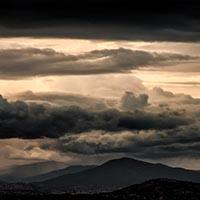
Through a little good luck and a bit of planning my Son and I were out in the countryside during storm season on the Sunshine Coast of Australia. This storm appeared very quickly from a hot sunny day.  My son had his Mavic Pro Drone and I was using my Canon SLR. These are the images that we captured, with just one or two others added from other photoshoots to make up the numbers.
 

User Feedback

Join the conversation

You can post now and register later. If you have an account, sign in now to post with your account.

Guest
  • This will not be shown to other users.

  • Your review Required
    Add a review...


Great show with images of fantastic dramatic skies and landscapes. 

I Liked the little red blinking light you had in the (antenna?)

   1 of 1 member found this review helpful 1 / 1 member

Wow, Barry!  Another belter from you.  Very dramatic and with great images.  Just managed to catch it.

   1 of 1 member found this review helpful 1 / 1 member

Excellent images and appropriate background music for dramatic effect Barry. Good job!

Lin

Account

Navigation

Search

Search

Configure browser push notifications

Chrome (Android)
  1. Tap the lock icon next to the address bar.
  2. Tap Permissions → Notifications.
  3. Adjust your preference.
Chrome (Desktop)
  1. Click the padlock icon in the address bar.
  2. Select Site settings.
  3. Find Notifications and adjust your preference.