
Skip to content
View in the app

A better way to browse. Learn more.

Slideshowclub.Com

A full-screen app on your home screen with push notifications, badges and more.

To install this app on iOS and iPadOS
  1. Tap the Share icon in Safari
  2. Scroll the menu and tap Add to Home Screen.
  3. Tap Add in the top-right corner.
To install this app on Android
  1. Tap the 3-dot menu (⋮) in the top-right corner of the browser.
  2. Tap Add to Home screen or Install app.
  3. Confirm by tapping Install.

The Drones are Coming 1.0.0

(3 reviews)

1 Screenshot

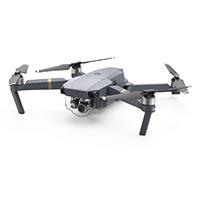
This was a very quickly created slideshow with images shot from a Dji Mavic Pro Drone during a few weeks holiday in Australia by my son. The Mavic Pro is a great piece of kit that opens up enormous possibilities for photographers. Although it only captures 12mp, these images were all taken in Raw format.

User Feedback

Join the conversation

You can post now and register later. If you have an account, sign in now to post with your account.

Guest
  • This will not be shown to other users.

  • Your review Required
    Add a review...


Great images and good show.  Expecting to visit there very soon.  Maybe April-May?


Nice job Barry (and your son).  We just returned from 3 months in Australia/New Zealand and quickly purchased a DJI Mavic Air upon our return.  We'll be certain to bring it along when we return in 2019  It was great to revisit the Glass House Mountains and the water tower near Mooloolaba Beach in your show. Thanks for sharing.


FULL screen - manual control - beautiful images -- a keeper

Ken

Account

Navigation

Search

Search

Configure browser push notifications

Chrome (Android)
  1. Tap the lock icon next to the address bar.
  2. Tap Permissions → Notifications.
  3. Adjust your preference.
Chrome (Desktop)
  1. Click the padlock icon in the address bar.
  2. Select Site settings.
  3. Find Notifications and adjust your preference.