Skip to content
View in the app

A better way to browse. Learn more.

Slideshowclub.Com

A full-screen app on your home screen with push notifications, badges and more.

To install this app on iOS and iPadOS
  1. Tap the Share icon in Safari
  2. Scroll the menu and tap Add to Home Screen.
  3. Tap Add in the top-right corner.
To install this app on Android
  1. Tap the 3-dot menu (⋮) in the top-right corner of the browser.
  2. Tap Add to Home screen or Install app.
  3. Confirm by tapping Install.

The Lost Classics 1.0.0

(2 reviews)

1 Screenshot

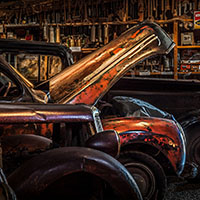
A simple presentation of images on a theme. 

User Feedback

Join the conversation

You can post now and register later. If you have an account, sign in now to post with your account.

Guest
  • This will not be shown to other users.

  • Your review Required
    Add a review...

   1 of 2 members found this review helpful 1 / 2 members

An excellent demonstration of your photographic, Photoshop and A/V skills.  Certainly a place to go for "grunge" but not my scene. Maybe one of two headlights too many?

   1 of 1 member found this review helpful 1 / 1 member

Nicely photographed and nice produced AV. 

Looked like a very nice collection of vehicles in prime condition for photography. Wish I had known the museum was there when I was in Cairns for a brief day in October.

Thanks


Account

Navigation

Search

Search

Configure browser push notifications

Chrome (Android)
  1. Tap the lock icon next to the address bar.
  2. Tap Permissions → Notifications.
  3. Adjust your preference.
Chrome (Desktop)
  1. Click the padlock icon in the address bar.
  2. Select Site settings.
  3. Find Notifications and adjust your preference.