
Audio Visual can be many things to many people, but a lot of photographers use it as a vehicle to display the many images they create. We visit places of interest and shoot lots of images, but what do we do with them. If you are a Camera Club member, you may be searching for that elusive competition winner, but you will have lots of others that are still worth viewing.
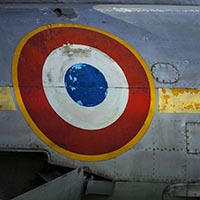
Here we have a collection of images shot in just a couple of hours at Newark Air Museum in the UK. Once we have taken the images we need to find a way to display them in such a way that the Audio Visual sequence becomes a photographic free standing project as a whole. We are looking to present the pictures not as a simple batch of images, but something a little better than that. (if we can)
Music is crucial to the mood we are trying to create and often difficult to find. Then we still have to manipulate the images in a way we feel is fitting to the music and the presentation as a whole.
Have we been successful? Its always difficult to tell, because we get so wrapped up in our own project and spend so much time on it, our judgement sometimes becomes a little blurred
Join the conversation
You can post now and register later. If you have an account, sign in now to post with your account.