
Skip to content
View in the app

A better way to browse. Learn more.

Slideshowclub.Com

A full-screen app on your home screen with push notifications, badges and more.

To install this app on iOS and iPadOS
  1. Tap the Share icon in Safari
  2. Scroll the menu and tap Add to Home Screen.
  3. Tap Add in the top-right corner.
To install this app on Android
  1. Tap the 3-dot menu (⋮) in the top-right corner of the browser.
  2. Tap Add to Home screen or Install app.
  3. Confirm by tapping Install.

Abandoned Air Base 1.0.0

(2 reviews)

1 Screenshot

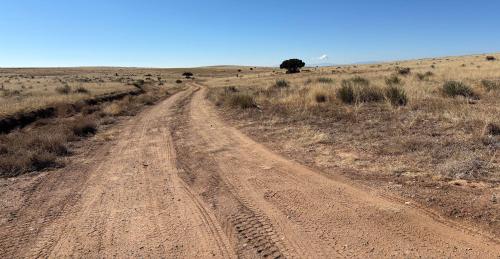
Karen and I wanted to take a drive for fun last Saturday. I had heard of an abandoned air base in the middle of nowhere. There was no indication of where it was on the map. It had been abandoned since 1961. It was very tricky finding it.

User Feedback

Join the conversation

You can post now and register later. If you have an account, sign in now to post with your account.

Guest
  • This will not be shown to other users.

  • Your review Required
    Add a review...


Hi Jeff.  Each time I download your newest file my Mac deletes it immediately.  Says there is a virus.  Sorry, I cannot view it.  FYI... would you please also make your shows available for MAC and not just PC?  It's super easy.  Thank you!

Response from the author:

Hi Bill. Will do in the future. I've already misplaced the Air Base file but will keep Mac folks in mind in the future.


Always neat to see these abandoned places

Response from the author:

Thanks Jim. Most of the places I've visited in the past are nearly gone now. Lots of destructive folks around these days.

Account

Navigation

Search

Search

Configure browser push notifications

Chrome (Android)
  1. Tap the lock icon next to the address bar.
  2. Tap Permissions → Notifications.
  3. Adjust your preference.
Chrome (Desktop)
  1. Click the padlock icon in the address bar.
  2. Select Site settings.
  3. Find Notifications and adjust your preference.