Skip to content
View in the app

A better way to browse. Learn more.

Slideshowclub.Com

A full-screen app on your home screen with push notifications, badges and more.

To install this app on iOS and iPadOS
  1. Tap the Share icon in Safari
  2. Scroll the menu and tap Add to Home Screen.
  3. Tap Add in the top-right corner.
To install this app on Android
  1. Tap the 3-dot menu (⋮) in the top-right corner of the browser.
  2. Tap Add to Home screen or Install app.
  3. Confirm by tapping Install.

Fort Bravo 1.0.0

(2 reviews)

1 Screenshot

In the 1960s the landscapes of the desert of Tabernas developed into a sought after movie location, well known productions such as King of Kings (1960), Cleopatra (1963), and the winner of seven Oscars, Lawrence of Arabia (1962), all used the desert as a backdrop during filming, attracting big budget Hollywood directors such as Steven Spielberg who chose Almeria for scenes in his blockbuster movie Indian Jones and the Last Crusade (1989) starring Harrison Ford.

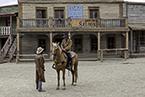
Sergio Leone, the director of the famous Spaghetti Westerns, starring Clint Eastwood, also capitalised on these unique landscapes, scenes from A Fist Full of Dollars (1964), For a Few Dollars More (1965), The Good The Bad and The Ugly (1966), and A Fistful of Dynamite (1972), were filmed in the western village movie sets as well as the surrounding desert and other well suited spots throughout the remarkable terrains of the province.

User Feedback

Join the conversation

You can post now and register later. If you have an account, sign in now to post with your account.

Guest
  • This will not be shown to other users.

  • Your review Required
    Add a review...


Great show. Much to my liking. I read Bert's review and downloaded your show immediately. The only thing I would have liked was a slowdown of the individual slides. I love the old movie sets and this looks like a fantastic one and I know I'll never see it in person so thank you so much for posting. 

   1 of 1 member found this review helpful 1 / 1 member

Nice scenery and I liked the muted color scheme you used in this show.

Bert

Account

Navigation

Search

Search

Configure browser push notifications

Chrome (Android)
  1. Tap the lock icon next to the address bar.
  2. Tap Permissions → Notifications.
  3. Adjust your preference.
Chrome (Desktop)
  1. Click the padlock icon in the address bar.
  2. Select Site settings.
  3. Find Notifications and adjust your preference.