Skip to content
View in the app

A better way to browse. Learn more.

Slideshowclub.Com

A full-screen app on your home screen with push notifications, badges and more.

To install this app on iOS and iPadOS
  1. Tap the Share icon in Safari
  2. Scroll the menu and tap Add to Home Screen.
  3. Tap Add in the top-right corner.
To install this app on Android
  1. Tap the 3-dot menu (⋮) in the top-right corner of the browser.
  2. Tap Add to Home screen or Install app.
  3. Confirm by tapping Install.

ARCTIC NORWAY 1.0.0

(4 reviews)

1 Screenshot

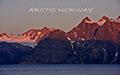
A late summer visit to Norway within the Arctic Circle.

Res: 16:10.

User Feedback

Join the conversation

You can post now and register later. If you have an account, sign in now to post with your account.

Guest
  • This will not be shown to other users.

  • Your review Required
    Add a review...


Same as always Maureen! 

Superb. A perfect blend of beautiful imagery in sync with  peaceful music.  The quietness of the landscape enhanced by the gentle panning and zooming.  Love the anchor  and chain shot.

A good start to the day.

Anthony

RMS


Loved the music and with your great pictures - another very enjoyable AV.

Roger


Another wonderful show from Maureen, they just keep coming and coming


MAUREEN MUST HER  camera in "the God of photography's" pocket -- her show's are always letter perfect  I have never seen a bad one:(

ken
Account

Navigation

Search

Search

Configure browser push notifications

Chrome (Android)
  1. Tap the lock icon next to the address bar.
  2. Tap Permissions → Notifications.
  3. Adjust your preference.
Chrome (Desktop)
  1. Click the padlock icon in the address bar.
  2. Select Site settings.
  3. Find Notifications and adjust your preference.