Skip to content
View in the app

A better way to browse. Learn more.

Slideshowclub.Com

A full-screen app on your home screen with push notifications, badges and more.

To install this app on iOS and iPadOS
  1. Tap the Share icon in Safari
  2. Scroll the menu and tap Add to Home Screen.
  3. Tap Add in the top-right corner.
To install this app on Android
  1. Tap the 3-dot menu (⋮) in the top-right corner of the browser.
  2. Tap Add to Home screen or Install app.
  3. Confirm by tapping Install.

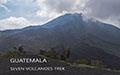
GUATEMALA - SEVEN VOLCANOES TREK 1.0.0

(2 reviews)

1 Screenshot

THIS IS  AMENDED VERSION AND RESUBMITTED TODAY.

Earlier this year, my son along with 6 others including 2 local guides, climbed Guatemala's 'Magnificent Seven' volcanoes.  These are his images which I have made into a show.


Maureen

User Feedback

Join the conversation

You can post now and register later. If you have an account, sign in now to post with your account.

Guest
  • This will not be shown to other users.

  • Your review Required
    Add a review...

   1 of 1 member found this review helpful 1 / 1 member

Great landscape photography and a beautiful paced show.

Maureen, I saw both volcano shows, and I like this amended version better.

Thanks for posting.

Bert

   1 of 1 member found this review helpful 1 / 1 member

Nicely done show Maureen. Looks like quite an adventure they undertook and accomplished. 

(I think I noticed a music change from the first version ?? Images were all the same I think)


Account

Navigation

Search

Search

Configure browser push notifications

Chrome (Android)
  1. Tap the lock icon next to the address bar.
  2. Tap Permissions → Notifications.
  3. Adjust your preference.
Chrome (Desktop)
  1. Click the padlock icon in the address bar.
  2. Select Site settings.
  3. Find Notifications and adjust your preference.