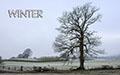
A new show of a few slides put together, all taken during our winter months. Res: 1920:1200. 4m. 55s. Keyboard control enabled. Maureen
rickl March 6, 20179 yr review_475 Report Author stats Outstanding as usual Maureen. Anytime I feeling stressed I watch your AV's. A real pleasure to add this one to my LandLass folder!
Michael March 6, 20179 yr review_474 Report Author stats A lovely show Maureen, with lots of wonderful memories for an 87 year old arthritic ex-fell walker. I particularly enjoyed the shots of the Langdale Pikes. How I wish I were young again!
Anthony March 3, 20179 yr review_472 Report Author stats Maureen, This isn't fair. You have such a talent for creating such wonderful images coupled with the music you choose to produce these serene AVs. The peacefulness of this one is sublime. Perhaps we should all call you 'LandscapeLass''. Thank you very much Anthony
KEN COX March 2, 20179 yr review_470 Report Author stats Maureen there is a saying in the colonies " a winter's fog will freeze a dog" you must be one tough dog to capture those beautiful scenes! ken
Rick235 March 2, 20179 yr review_469 Report Author stats 1 of 1 member found this review helpful 1 / 1 member Beautiful music to set the mood for another fantastic slide show. Thank you once again Maureen.


Join the conversation
You can post now and register later. If you have an account, sign in now to post with your account.