Skip to content
View in the app

A better way to browse. Learn more.

Slideshowclub.Com

A full-screen app on your home screen with push notifications, badges and more.

To install this app on iOS and iPadOS
  1. Tap the Share icon in Safari
  2. Scroll the menu and tap Add to Home Screen.
  3. Tap Add in the top-right corner.
To install this app on Android
  1. Tap the 3-dot menu (⋮) in the top-right corner of the browser.
  2. Tap Add to Home screen or Install app.
  3. Confirm by tapping Install.

Jewelry Reflections 1.0.0

(2 reviews)

1 Screenshot

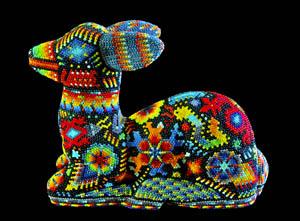
My late wife Sherry had Native American (Cherokee) ancestry and was an avid collector of Native American Indian art. For 35 years we traveled across the southwest USA to various reservations where we traded with native craftsmen and got to know many of them quite well as friends. I spent many years doing gallery art photography for many museums and galleries in the southwest and still stay in touch with a number of well-known artists. These are some of my images of exquisite American Indian art... I shared Sherry's love for both the art and culture of our indigenous people...

Lin

User Feedback

Join the conversation

You can post now and register later. If you have an account, sign in now to post with your account.

Guest
  • This will not be shown to other users.

  • Your review Required
    Add a review...


Although I feel that the duration of individual slides may be too long for my personal taste, one can see that this slide show was created by a master. Wish I could do it like Lin.


Lin,

Great images of artwork that looks impressively beautiful when you see it up close as in a lot of your images.

I like the weather effects you have put in the show and also the music was perfect.

Bert  

Account

Navigation

Search

Search

Configure browser push notifications

Chrome (Android)
  1. Tap the lock icon next to the address bar.
  2. Tap Permissions → Notifications.
  3. Adjust your preference.
Chrome (Desktop)
  1. Click the padlock icon in the address bar.
  2. Select Site settings.
  3. Find Notifications and adjust your preference.