
Skip to content
View in the app

A better way to browse. Learn more.

Slideshowclub.Com

A full-screen app on your home screen with push notifications, badges and more.

To install this app on iOS and iPadOS
  1. Tap the Share icon in Safari
  2. Scroll the menu and tap Add to Home Screen.
  3. Tap Add in the top-right corner.
To install this app on Android
  1. Tap the 3-dot menu (⋮) in the top-right corner of the browser.
  2. Tap Add to Home screen or Install app.
  3. Confirm by tapping Install.

Infra-Red PTE8 Deluxe

(1 review)

1 Screenshot

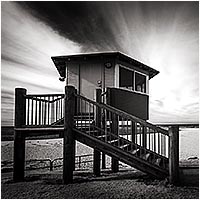
Humans only see and photograph a small proportion of the wavelengths of light given off by the sun, but we do have the opportunity to broaden the light we can use by photographing in Infra-Red. There are a number of ways we can have a go at Infra-Red photography and this Presentation/Tutorial takes you through the options and also the pros and cons.

One thing is certain. This is a fascinating aspect of photography and can produce some stunning results.

There is also a PDF on this subject HERE

Other Short Infra-Red sequences and

User Feedback

Join the conversation

You can post now and register later. If you have an account, sign in now to post with your account.

Guest
  • This will not be shown to other users.

  • Your review Required
    Add a review...


Account

Navigation

Search

Search

Configure browser push notifications

Chrome (Android)
  1. Tap the lock icon next to the address bar.
  2. Tap Permissions → Notifications.
  3. Adjust your preference.
Chrome (Desktop)
  1. Click the padlock icon in the address bar.
  2. Select Site settings.
  3. Find Notifications and adjust your preference.