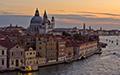
A new slideshow. Venice, surely the most beautiful city on earth and possibly the busiest despite which we did manage to find a few of the quieter places. Res:16:10.
Jim R July 16, 20206 yr review_717 Report Author stats 1 of 1 member found this review helpful 1 / 1 member Another marvelous production Maureen!!! Beautiful morning and evening light. Wonderful post processing of all the images, particularly the mid-morning to mid- afternoon images. Yes there were a few spots with the usual crowds, but overall, Venice looked almost deserted. You obviously must have scouted out your photo spots in advance. Music, flow, transitions all wonderful. 15 of out of 10 points! Response from the author: Thank you, Jim, for kind words. We did intend to spend the day seeking out the quieter parts but of course one can't ignore the glories for which Venice is rightly famous. Can never tire of it.

Join the conversation
You can post now and register later. If you have an account, sign in now to post with your account.