Skip to content
View in the app

A better way to browse. Learn more.

Slideshowclub.Com

A full-screen app on your home screen with push notifications, badges and more.

To install this app on iOS and iPadOS
  1. Tap the Share icon in Safari
  2. Scroll the menu and tap Add to Home Screen.
  3. Tap Add in the top-right corner.
To install this app on Android
  1. Tap the 3-dot menu (⋮) in the top-right corner of the browser.
  2. Tap Add to Home screen or Install app.
  3. Confirm by tapping Install.

Wish You Were Here 1.0.0

(1 review)

1 Screenshot

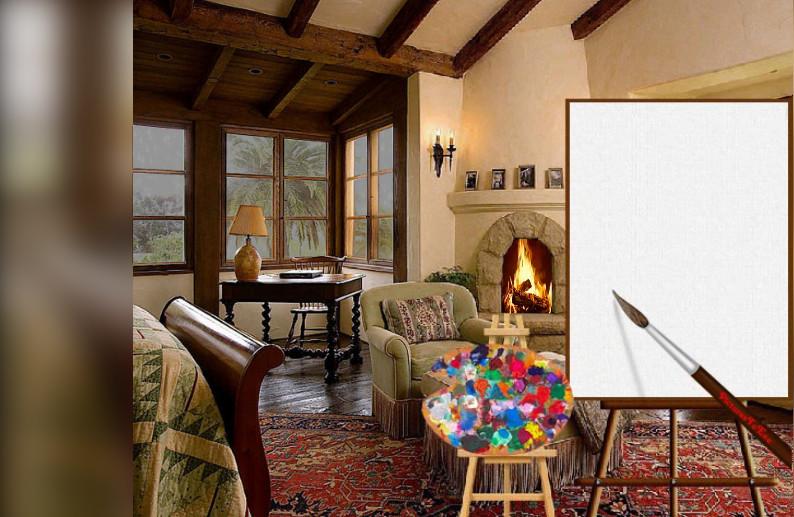
This show tells a somewhat subtle story. Notice that through the window, a rainstorm with lightning is raging and in the room, the fire in the fireplace is large with a roaring blaze, but in the painting, it's sunny outside with a small fire in the fireplace. This depicts the same place, but at different times. 

The techniques used include masking, PNG images, rain animation, lightning animation and the use of Visisketch Pro plus modifications by PTE.  The intent was to tell a story with the painting. Hopefully, I was successful.

Lin

User Feedback

Join the conversation

You can post now and register later. If you have an account, sign in now to post with your account.

Guest
  • This will not be shown to other users.

  • Your review Required
    Add a review...


Nicely done Lin

Account

Navigation

Search

Search

Configure browser push notifications

Chrome (Android)
  1. Tap the lock icon next to the address bar.
  2. Tap Permissions → Notifications.
  3. Adjust your preference.
Chrome (Desktop)
  1. Click the padlock icon in the address bar.
  2. Select Site settings.
  3. Find Notifications and adjust your preference.