
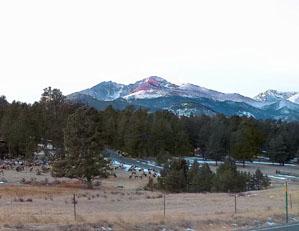
A few years ago, my old pup Honey and I on a beautiful fall morning decided to catch sunup on Devil's Gultch Road north of Estes Park, Colorado. On the way up, a cougar (mountain lion) jumped over the hood of my truck. By the time I could grab my camera and get out of the truck she had disappeared down the mountain side and into the trees of the forest. A quarter mile up the road I met a man walking his two dogs off the leash. I stopped to warn him about the big cat and he told me that the wildlife people had been trying to trap her for a couple weeks to put a radio collar on her. She had been hanging around and enjoying the views too I guess. Another couple miles up the road I stopped here at the junction of Devil's Gultch Road and Lumpy Ridge Road near the Lumpy Ridge trailhead and shot this series of shots which encompassed a bit more than 360 degrees. I stitched them into a very wide pano to demonstrate how PTE can be used to display a 360 degree horizontal panorama. The sun was just about to peep over the horizon and several hundred elk were contentedly grazing on the grounds in front of ranch homes. A beautiful morning in Colorado....
You may only provide a review once you have downloaded the file.
There are no reviews to display.