
Skip to content
View in the app

A better way to browse. Learn more.

Slideshowclub.Com

A full-screen app on your home screen with push notifications, badges and more.

To install this app on iOS and iPadOS
  1. Tap the Share icon in Safari
  2. Scroll the menu and tap Add to Home Screen.
  3. Tap Add in the top-right corner.
To install this app on Android
  1. Tap the 3-dot menu (⋮) in the top-right corner of the browser.
  2. Tap Add to Home screen or Install app.
  3. Confirm by tapping Install.

Moving route line on a map PTE8 Deluxe

(0 reviews)

1 Screenshot

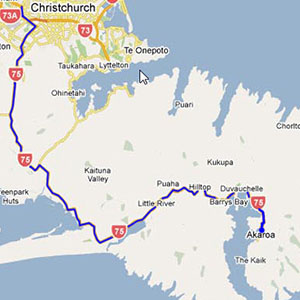
Many audio visual sequences will be travelogues, a record of that special holiday and to ensure your viewers enjoy the trip, an animated route on a map that moves from place to place as you show your pictures is a great way to keep the viewers with you.

Google maps are very good and you can always do a screen grab of the section you require. They can be enlarged or reduced to suite your needs and any on-screen clutter can easily be cloned out.

There are many different ways to approach this using our image editor, PTE, or external software. Probably the easiest way is cut a hole in the map and use animation to create the coloured line

User Feedback

You may only provide a review once you have downloaded the file.

There are no reviews to display.

Account

Navigation

Search

Search

Configure browser push notifications

Chrome (Android)
  1. Tap the lock icon next to the address bar.
  2. Tap Permissions → Notifications.
  3. Adjust your preference.
Chrome (Desktop)
  1. Click the padlock icon in the address bar.
  2. Select Site settings.
  3. Find Notifications and adjust your preference.