
Skip to content
View in the app

A better way to browse. Learn more.

Slideshowclub.Com

A full-screen app on your home screen with push notifications, badges and more.

To install this app on iOS and iPadOS
  1. Tap the Share icon in Safari
  2. Scroll the menu and tap Add to Home Screen.
  3. Tap Add in the top-right corner.
To install this app on Android
  1. Tap the 3-dot menu (⋮) in the top-right corner of the browser.
  2. Tap Add to Home screen or Install app.
  3. Confirm by tapping Install.

London Calling PTE8 Deluxe

(2 reviews)

1 Screenshot

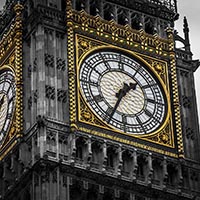
I have had the idea for this slide show for some time, but a recent visit to the UK allowed me to shoot the images. They required Monochrome conversion with strategic colour. They also needed to be aligned just as they would be if shot from a Tripod, but these were not. All hand held, so align techniques were required to make them line up for the audio visual

A MasterClass tutorial is available for those interested HERE

Winner of the 2015 Photographic Society of Queensland Salon of Exellence AV section

User Feedback

Join the conversation

You can post now and register later. If you have an account, sign in now to post with your account.

Guest
  • This will not be shown to other users.

  • Your review Required
    Add a review...


Account

Navigation

Search

Search

Configure browser push notifications

Chrome (Android)
  1. Tap the lock icon next to the address bar.
  2. Tap Permissions → Notifications.
  3. Adjust your preference.
Chrome (Desktop)
  1. Click the padlock icon in the address bar.
  2. Select Site settings.
  3. Find Notifications and adjust your preference.