
Skip to content
View in the app

A better way to browse. Learn more.

Slideshowclub.Com

A full-screen app on your home screen with push notifications, badges and more.

To install this app on iOS and iPadOS
  1. Tap the Share icon in Safari
  2. Scroll the menu and tap Add to Home Screen.
  3. Tap Add in the top-right corner.
To install this app on Android
  1. Tap the 3-dot menu (⋮) in the top-right corner of the browser.
  2. Tap Add to Home screen or Install app.
  3. Confirm by tapping Install.

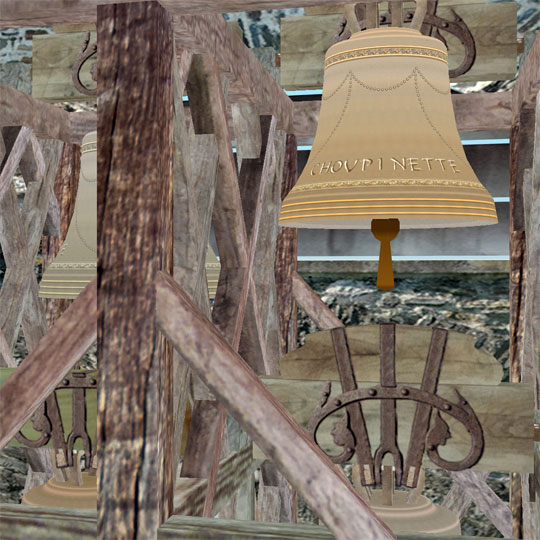
Choupinette came back from Rome

(3 reviews)

1 Screenshot

At the time, it was just an exercise to discover and use the possibilities of the new 3D functions ( 6.0 version ).

It is said that from the Holy Thursday to the Easter Sunday, the bells are silent because they are at Rome. They return to distribute to the wise children full of chocolate eggs.

But now my little bell Choupinette (a gentle nickname for a little girl) is back at home, quite exhausted.

User Feedback

You may only provide a review once you have downloaded the file.

Account

Navigation

Search

Search

Configure browser push notifications

Chrome (Android)
  1. Tap the lock icon next to the address bar.
  2. Tap Permissions → Notifications.
  3. Adjust your preference.
Chrome (Desktop)
  1. Click the padlock icon in the address bar.
  2. Select Site settings.
  3. Find Notifications and adjust your preference.