Skip to content
View in the app

A better way to browse. Learn more.

Slideshowclub.Com

A full-screen app on your home screen with push notifications, badges and more.

To install this app on iOS and iPadOS
  1. Tap the Share icon in Safari
  2. Scroll the menu and tap Add to Home Screen.
  3. Tap Add in the top-right corner.
To install this app on Android
  1. Tap the 3-dot menu (⋮) in the top-right corner of the browser.
  2. Tap Add to Home screen or Install app.
  3. Confirm by tapping Install.

Samphire in Bloom 1.0.0

(2 reviews)

1 Screenshot

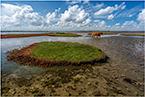
Samphire in bloom on the Mudflats of Flakkee in the Netherlands.

User Feedback

Join the conversation

You can post now and register later. If you have an account, sign in now to post with your account.

Guest
  • This will not be shown to other users.

  • Your review Required
    Add a review...


Heel mooi Cor.  Was dat gedaan in een wadden loop tocht?

Worked also very well because you kept the horizon on the same hight.

Bert

Response from the author:

Hallo Bert,

Nee, het was geen wadden looptocht. De foto's zijn gemaakt in het Grevelingenmeer ten zuiden van Goeree Overflakkee tussen Stellendam en Melissant.   Ik woon hier en kom dus regelmatig op de slikken om te fotograferen. Elk jaar in september kleurt de zeekraal mooi rood voor een paar weken.

Bedankt voor je leuke reactie

Cor


Beautiful!

Response from the author:

Thanks!
Account

Navigation

Search

Search

Configure browser push notifications

Chrome (Android)
  1. Tap the lock icon next to the address bar.
  2. Tap Permissions → Notifications.
  3. Adjust your preference.
Chrome (Desktop)
  1. Click the padlock icon in the address bar.
  2. Select Site settings.
  3. Find Notifications and adjust your preference.